Introducing
Insights
Clara is now your data analyst.
Ask a question in plain English. Clara turns the data already in Kibu into tables, charts, and summaries you can save, schedule, and share.
Nobody gets into this work to build a spreadsheet.
You got into it for the people. Then somebody asks you to prove it.
The Auditor
Needs a demographics breakdown, a time-tracking report, and three months of notes on three different people. By Friday.
The Parent
Wants every documented behavior for their kid this quarter.
Billing
Needs every service record that's missing a signed note before claims go out tonight.
None of that is the work. All of it is your afternoon.
The old way
- 1Download a cookie-cutter PDF.
- 2Export the spreadsheet.
- 3Delete half the columns.
- 4Write a formula you half-remember.
- 5Ask the one person in the office who's good at Excel.
Today, that era ends.
Every answer is already inside Kibu.Now you can ask for it.
Type the question the way you'd ask a coworker. Clara writes the query, runs it, and hands back a table, a chart, or a summary. No exports, no formulas, no waiting on the Excel person.
All your asks, answered.
For the auditor
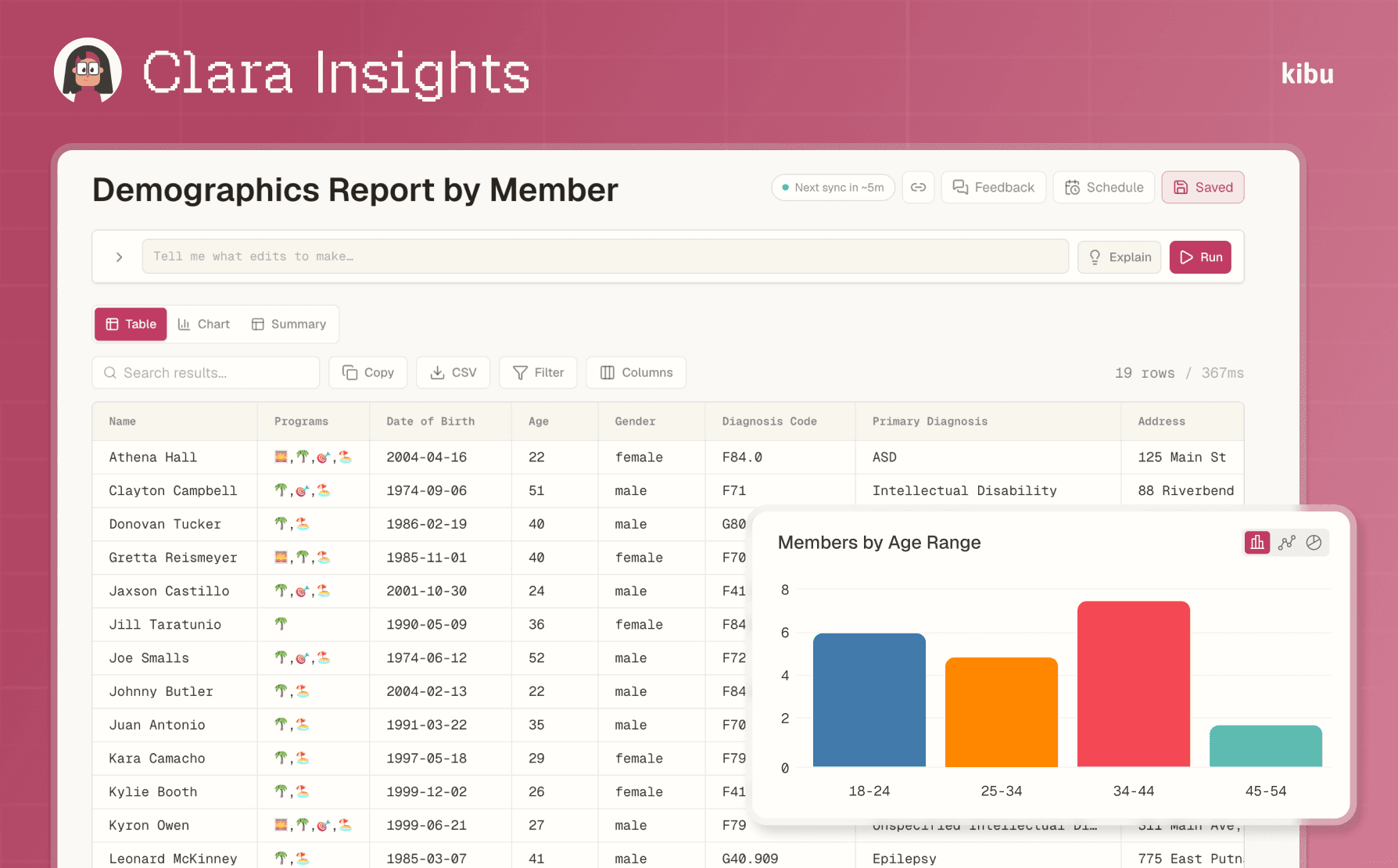
The demographics breakdown, built while you read the email.
One row per member: program, age, gender, diagnosis. Need it for the board meeting instead? The same answer renders as a chart in one click.
For the parent
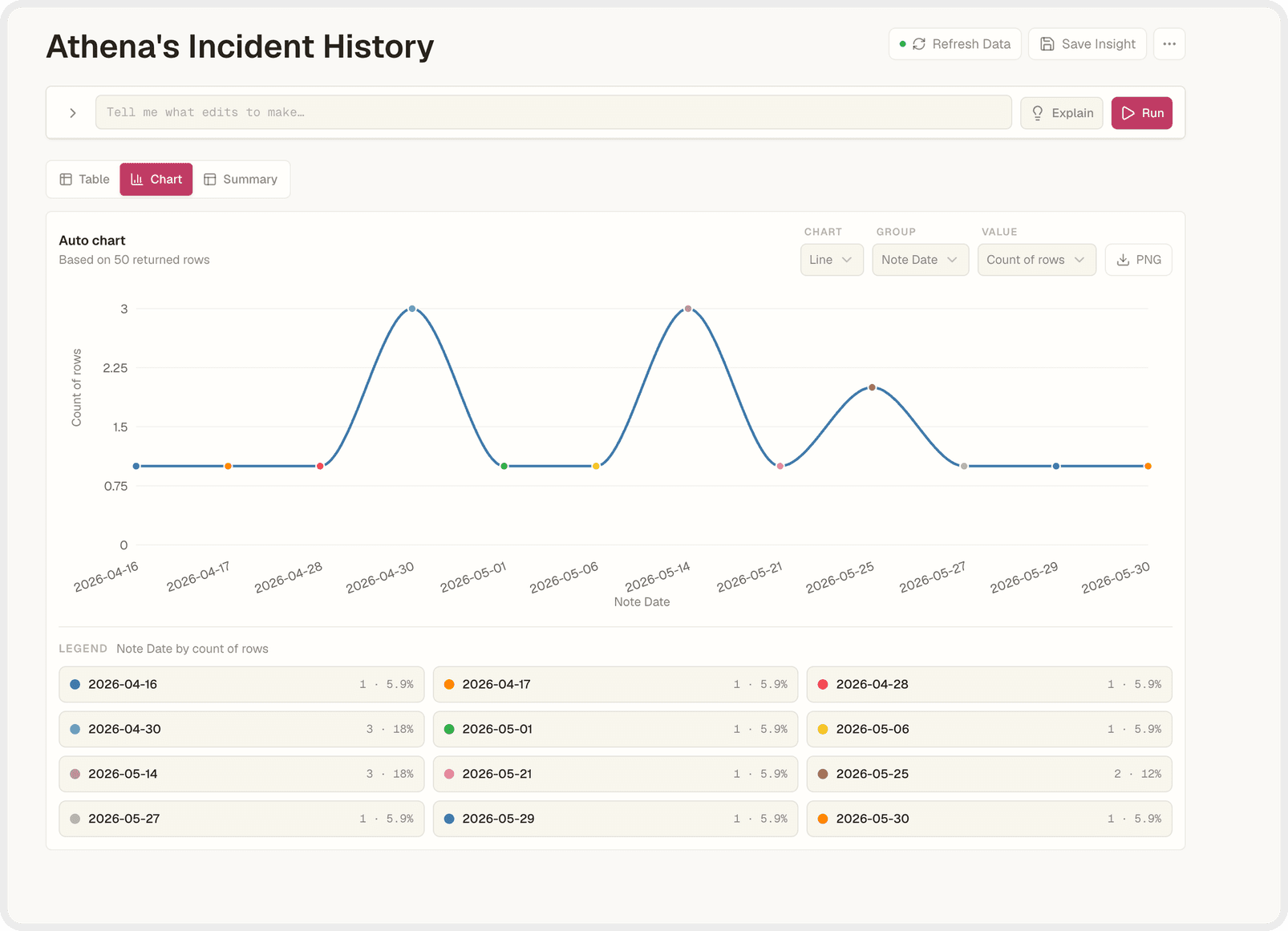
Every incident, on one timeline.
A full quarter of documented incidents, drawn as a chart. Press Explain and Clara describes what it shows and why it matters, in plain English. A mom hears back the same day she asked.
For billing
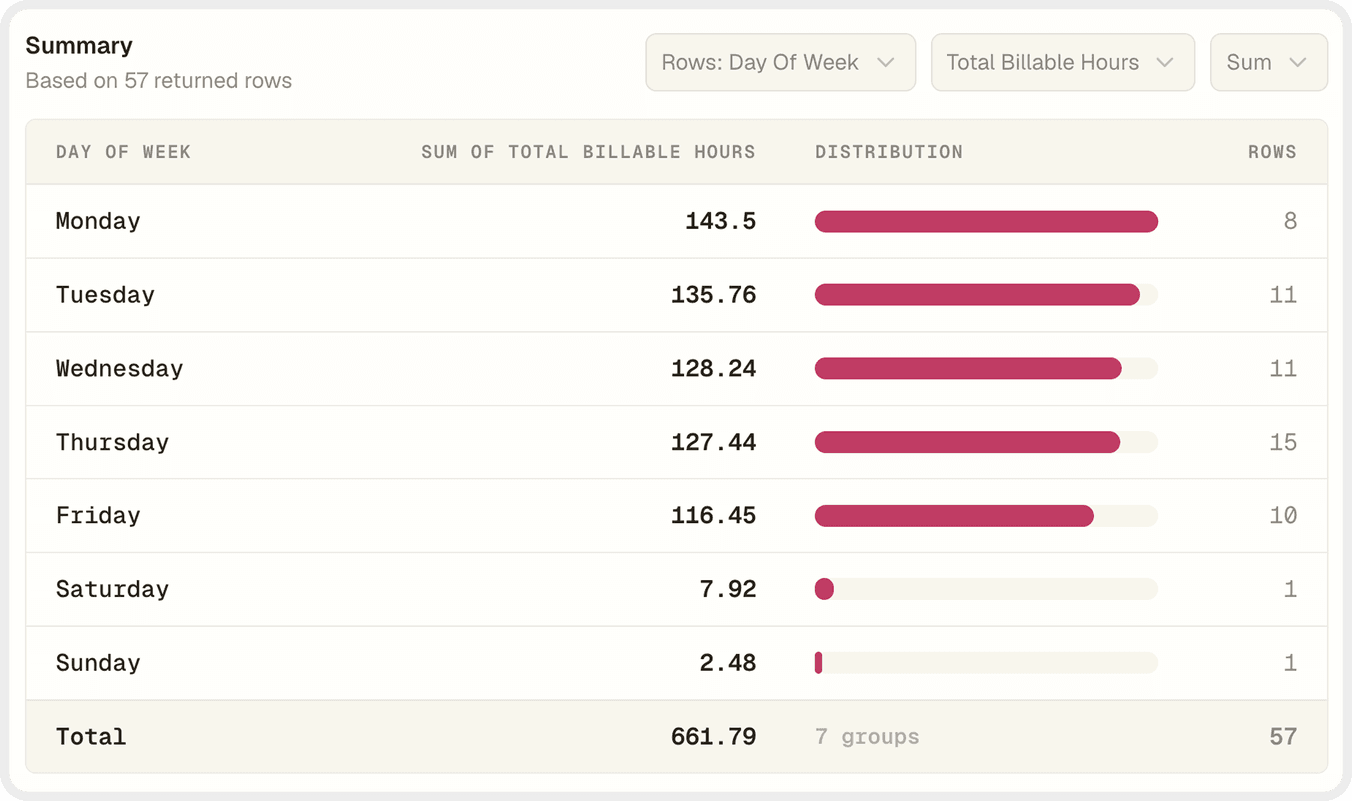
Totals first. Then on a schedule.
Skip the rows and go straight to the summary: every billable hour, sorted by day. Then schedule it. Every Monday, 7 a.m., in your billing lead's inbox before the coffee's done.
It's a conversation.
Refine any report by talking to it. No menus, no formulas. The follow-up question used to be the thing everyone dreaded. Now it's the fun part.
When it's right, keep it.

Keep it in your library, one click away.
Saved · just now
Recurring, straight to any inbox.
Every Monday · 7:00 AM
CSV for the auditor, PNG for the board.
CSV · PNGVerifiable, with KQL™
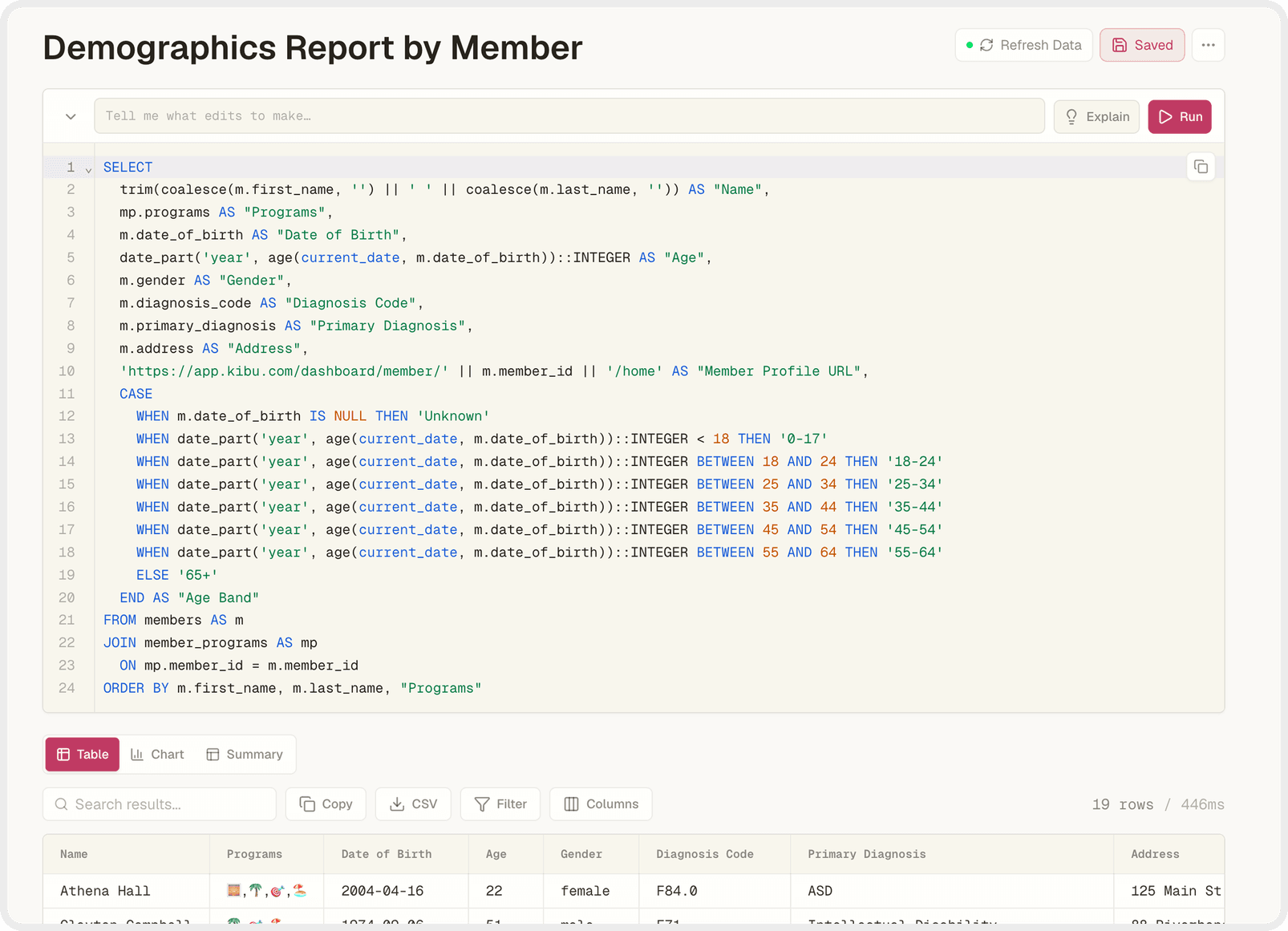
See the work behind every answer.
Every answer Clara gives is real, inspectable code underneath. We call it KQL. Read it, check it, hand it to your most careful person and let them pick it apart. Nothing to hide.
Is it safe? Yes.
Read-only
Clara can see your data. It cannot create, change, or delete a single record.
Permission-gated
Your organization decides exactly who can ask these questions.
BAA-covered
Every piece of technology behind Insights, including the AI models.
HIPAA & SOC 2
Kibu is HIPAA compliant and SOC 2 Type 2 compliant.
We've sat across the table from people who were told AI was too risky for this space. We disagree. It's too useful to be left to tools that were never built for providers, for compliance, or for the people you support. So we built it carefully. On purpose. For you.
One more thing
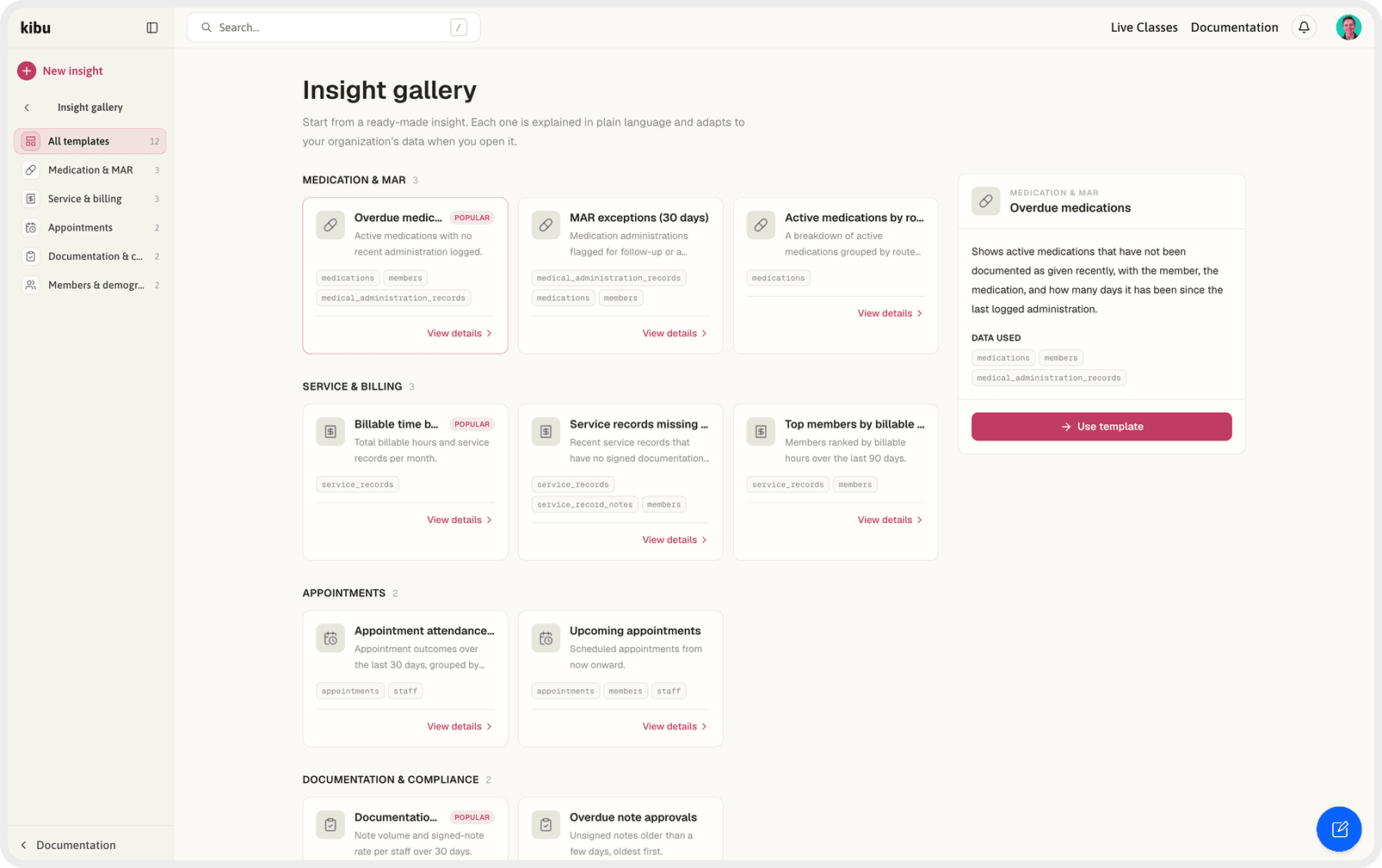
Start from a template.
Insights ships with a gallery of ready-made reports: medication, billing, compliance, demographics. Pick one and it's yours. Community templates are next, because the best reports won't come from us. They'll come from the organizations who've been answering these questions the hard way for years.
Available today.
Included for every Kibu Documentation customer at no additional cost. Nothing to install. Go ask Clara something.
Current customer?
Contact Customer Support to enable Insights for your organization today.
Email Customer SupportTurning caretakers into builders.